
Best AI Tools for Freelancers (2025): Research-Backed Picks to Win More Clients & Earn More
Discover the best AI tools for freelancers in 2025—ranked by real research from Microsoft & Upwork. Improve quality, save time, and win more clients.
AI TOOLS DIRECTORY
Clark
12/9/202523 min read


Freelancing in 2025 looks dramatically different from just a year ago — and the biggest shift comes from AI. Recent research from Microsoft and Upwork found that AI tools like Microsoft 365 Copilot don’t just speed up workflow… they actually change how freelancers choose jobs, price their work, and build their careers.
Source: Yu, P., Immorlica, N., Jaffe, S., Liu, T., & Monahan, K. (2024). The impact of generative AI on freelancer job preferences and bidding behaviors: Evidence from a randomized field experiment. SSRN. https://ssrn.com/abstract=5310010
The study revealed something fascinating:
High-earning freelancers use AI to improve quality, expand their capabilities, and produce more premium deliverables.
Low-earning freelancers use AI mainly to reduce effort and complete low-complexity tasks faster.
This split is important — because it shows that AI doesn’t replace freelancers; it amplifies their strategy. How you use AI determines whether it lowers your workload or increases your income.
Before We Begin: A Quick Note on Freelancer Market Demand
Platforms like Upwork, Fiverr, and Freelancer.com show that the fastest-growing freelance industries today are:
Content & SEO writing
Graphic design & branding
Social media management
Video editing & content production
Web development & no-code building
Virtual assistance and customer support
E-commerce content creation (UGC, product videos)
Each industry values different AI functions — writing refinement, quick video creation, branding tools, automation, and more.
We’ll publish a separate article ranking AI tools specifically by industry demand, but for this article, we focus on outputs: the impact AI has on your income, job-win rate, professionalism, and service quality.
⭐ How This Article Categorizes AI Tools
Most AI tool lists are random (“Top 50 AI Tools!”). But this guide uses research-backed categories based on the Microsoft + Upwork findings and real freelance workflows.
We organize tools by five types of impact:
1️⃣ AI Tools That Improve Quality
Used by high-earning freelancers to stand out and charge more
The study shows that high-income freelancers rely on AI to enhance:
Writing clarity
Design quality
Audio/video polish
Professional presentation
Deliverable excellence
These tools increase perceived value, which directly increases income potential.
2️⃣ AI Tools That Reduce Effort
Used by beginners and low-income freelancers to save time
These tools automate:
Basic content creation
Transcription
Editing
Simple video production
Repetitive tasks
They help beginners take on more work without burnout — but they don’t automatically increase pricing power.
3️⃣ AI Tools That Expand Service Capabilities
The fastest way for freelancers to increase revenue streams
These tools allow freelancers to offer new services they couldn’t before, such as:
Branding packages
Automation workflows
Voiceover production
Website building
Social commerce and UGC services
This is how freelancers evolve into a one-person agency.
4️⃣ AI Tools That Improve Client Value & Professionalism
Tools that help freelancers retain clients, communicate clearly, and look “premium”
Clients stay with freelancers who appear organized, reliable, and strategic.
These AI tools help with:
Client updates
Project dashboards
Knowledge bases
Meeting summaries
Strategy presentations
This is crucial for repeat business and long-term contracts.
5️⃣ AI Tools That Increase Job Win Rates
For beginners, this is the #1 category that determines success.
Most freelancers fail not because of skill, but because they:
Write weak proposals
Misunderstand the job description
Struggle with personalization
Have unclear profiles
Don’t know how to position themselves
These AI tools directly improve your job-win ratio, especially on Upwork, Fiverr, and LinkedIn.
⭐ Why These Categories Matter
These categories aren’t based on “features” or “AI functions.”
They’re based on:
Impact on freelancer income
Quality of output
Market adoption and real demand
Usefulness for both beginners and high earners
Long-term reliability
User feedback across G2, Capterra, and Trustpilot
And most importantly: what freelancers actually need to succeed
This lets us recommend tools based on outcome, not hype.
⭐ The Best Tools in Each Category
Quality tools (QuillBot, ProWritingAid)
Effort reducers (ChatGPT, Fliki, FlexClip, Fireflies AI, HIX.ai)
Service expanders (Make.com, Tagshop, Supastarter, ElevenLabs)
Professionalism & client value tools (DocsBot, Exemplary AI, Sitefy, ClickUp AI, Tability)
👀💡 Quick heads up: if you’ve already heard of some of these tools and want to test them right away, go for it. But if you’re still not sure which ones are genuinely useful — and which ones actually help freelancers make more money — keep reading. I’ll break everything down clearly so you can choose the right tools without wasting time.
1️⃣ Category 1 – Quality Power-Ups
ChatGPT 5.1 → https://chat.openai.com
QuillBot → https://quillbot.com
ProWritingAid → https://prowritingaid.com
2️⃣ Category 2 – Work Faster / Effort Reducers
Fliki → https://fliki.ai
FlexClip → https://flexclip.com
Fireflies AI → https://fireflies.ai
3️⃣Category 3 – Service Expanders
Make.com → https://make.com
Tagshop → https://tagshop.ai
Supastarter → https://supastarter.io
ElevenLabs → https://elevenlabs.io
4️⃣ Category 4 – Client Value & Professionalism Tools
DocsBot → https://docsbot.ai
Exemplary AI → https://exemplary.ai
Sitefy → https://sitefy.com
ClickUp AI → https://clickup.com
Tability → https://tability.io
🔔 This list isn’t the end. AI tools evolve quickly, and I’ll be reviewing and comparing more options in the next episode to keep everything updated and trustworthy.
Our Honest Take
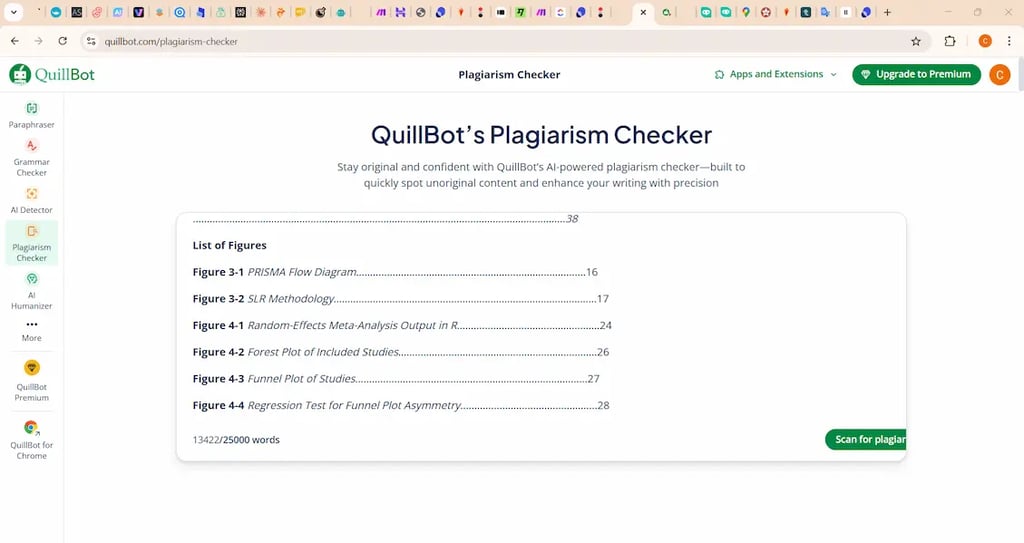
✏️ Tool #1: QuillBot — https://quillbot.com
1. What This Tool Does and Why Freelancers Use It
QuillBot is an AI-powered rewriting and clarity improvement tool that helps freelancers produce cleaner, more polished writing without spending extra time editing. It’s widely used across content writers, SEO professionals, students, and marketing freelancers who need fast, high-quality text refinement. Freelancers use QuillBot because it dramatically improves the readability and professional tone of their writing with almost no effort. It helps turn rough drafts into polished content, making deliverables look more premium. Many writing-focused freelancers use QuillBot daily to optimize blog posts, emails, scripts, captions, and proposals, which helps them deliver higher-quality work and justify higher rates.
2. Key Features
Paraphraser – its most powerful feature, helping rewrite sentences while keeping the original meaning.
Grammar Checker – improves clarity and correctness instantly.
Summarizer – quickly condenses long content, useful for research-heavy tasks.
Citation Generator – helpful for academic or research-style writing.
Multiple Writing Modes – lets users adjust tone and style depending on the project.
3. Best for freelancers who write frequently—content writers, SEO specialists, social media creators, marketers, and anyone who wants to upgrade writing quality with minimal effort.
4. Pricing
Free plan available.
Paid plan starts from $8.33 USD per month when billed annually. (Monthly plans cost more.)
5. Pros & Cons
Pros: QuillBot improves writing quickly, saves editing time, and delivers more polished results than manual rewrites. It’s simple, fast, and widely trusted across freelance industries.
Cons: It can sound repetitive in some modes, and the free version is limited. For very creative work, freelancers may still need manual refinement.
6. Verdict: QuillBot is one of the most reliable writing-improvement tools for freelancers who need clean, professional content delivered fast. It upgrades your writing quality with almost no effort, making it a great income booster for writing-heavy freelancers.
✏️ Tool # 2 ProWritingAid — https://prowritingaid.com
1. What This Tool Does and Why Freelancers Use It
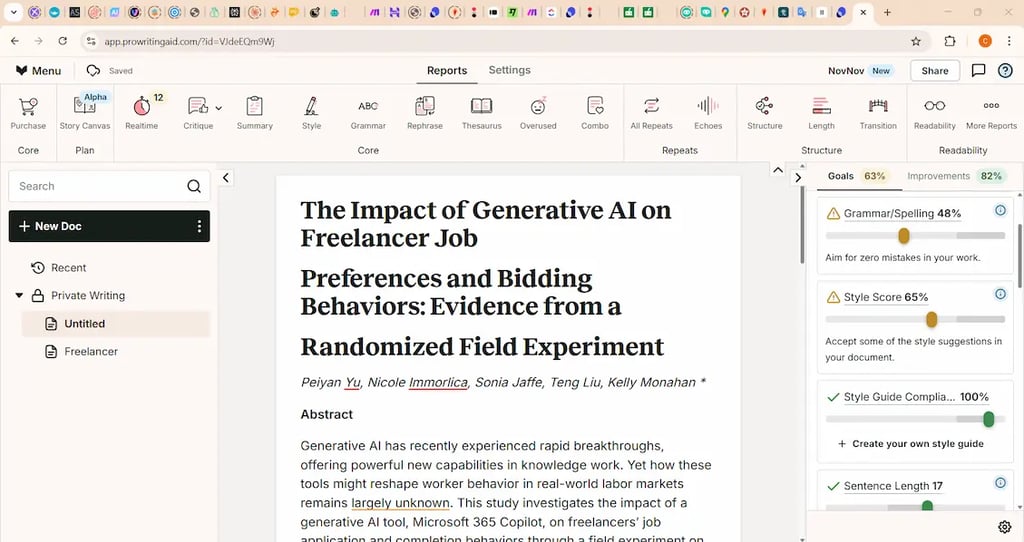
ProWritingAid is an advanced AI-powered writing enhancement tool that analyzes style, structure, clarity, grammar, and readability in far more depth than most rewriting tools. Freelancers use it because it not only fixes mistakes but also gives actionable suggestions to make writing more engaging, accurate, and professional. It’s especially popular among long-form writers, bloggers, editors, and authors who need deeper writing insights. Many freelancers rely on ProWritingAid’s detailed reports to improve tone, remove fluff, and elevate content quality to a premium level that clients appreciate.
2. Key Features
Style & Readability Reports – highlights structure, tone, pacing, and clarity issues for stronger writing.
Advanced Grammar & Spell Checker – corrects mistakes with context-aware suggestions.
Overused Words & Sentence Variety Reports – helps writers sound more natural and less repetitive.
Consistency Checker – ensures formatting, spelling, and terminology remain uniform across large documents.
Thesaurus & Word Explorer – improves vocabulary and helps refine sentence flow.
AI Rewrite & Summaries – enhances content and condenses long sections quickly.
3. Best for freelancers who write long-form content, manage complex documents, or want deeper editorial insights—such as content writers, copywriters, bloggers, editors, and authors.
4. Pricing: Free plan available.
Paid plan starts from $10/month when billed annually.
5. Pros: ProWritingAid offers in-depth analysis that goes beyond simple grammar fixes, making it ideal for serious writers who want to improve their craft. Its reports are detailed, educational, and highly effective for producing polished, client-ready work.
Cons: The interface can feel overwhelming for beginners, and it’s slower than lightweight tools. Some advanced AI rewrite features require higher-tier plans.
6. Verdict
ProWritingAid is a powerful writing improvement tool for freelancers who want more than quick fixes. Its deep analysis helps produce polished, professional writing at a level that boosts credibility and client satisfaction. Ideal for freelancers who take writing quality seriously and want to stand out from competitors.
⚡ Tool #3: ChatGPT (GPT-5.1) — https://chat.openai.com
1. What This Tool Does and Why Freelancers Use It
ChatGPT (GPT-5.1) is OpenAI’s latest and most advanced conversational AI model, capable of generating high-quality text, answering complex questions, creating content, writing code, and assisting with nearly any freelance task. Freelancers use GPT-5.1 because it dramatically reduces workload while improving overall output quality, whether they’re writing posts, drafting emails, planning projects, analyzing information, or generating ideas. Many freelancers rely on ChatGPT daily to speed up repetitive tasks, create content faster, and improve accuracy, allowing them to take on more clients and deliver work in less time.
2. Key Features
Advanced Content Generation – writes articles, scripts, emails, and posts with human-level fluency.
Research & Explanation – summarizes sources and explains complex topics clearly.
Editing & Rewriting – improves tone, structure, clarity, and readability.
Code Assistance – helps freelancers build automations, scripts, and small tools.
Image, File & Workflow Support – analyzes documents, PDFs, and images for faster client work.
Custom Instructions – adapts to your writing style, tone, and ongoing projects.
3. Best for freelancers who need a versatile AI assistant for writing, research, communication, planning, automation, client replies, brainstorming, and rapid task execution across any industry.
4. Pricing: Free plan available.
Paid plans start from $20/month (ChatGPT Plus).
Team, Pro, or Enterprise plans have higher pricing depending on usage (exact details vary).
5. Pros & Cons
Pros: GPT-5.1 is highly adaptable and can assist with almost any freelance task, making it one of the best productivity boosters available. It offers exceptional writing quality, strong reasoning, and fast responses, which helps freelancers save hours and increase output.
Cons: It can occasionally produce inaccurate information if not checked, and heavy reliance on AI may reduce originality for creative projects. Access to advanced features requires a paid plan.
6. Verdict
ChatGPT (GPT-5.1) is a must-have tool for freelancers who want to work faster, produce better results, and manage more clients without burnout. Its flexibility and power make it one of the most impactful AI tools in the modern freelance toolkit.
⚡ Tool #4: Fliki — https://fliki.ai
1. What This Tool Does and Why Freelancers Use It
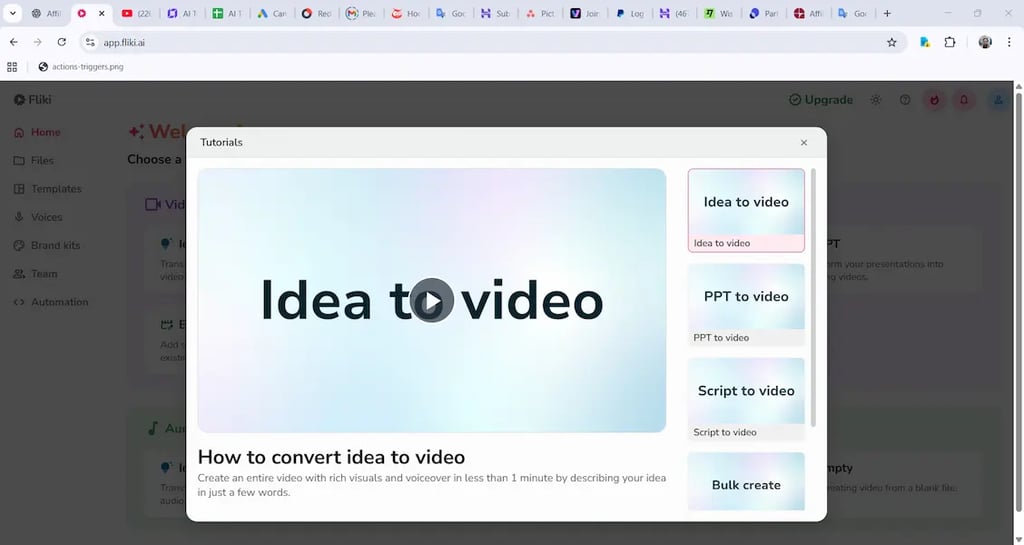
Fliki is an AI-powered video creation tool that turns scripts, blog posts, or text prompts into professional-looking videos within minutes. Freelancers use Fliki because it removes the need for complex editing skills, expensive software, or long production time. It’s especially popular among social media managers, content creators, and marketing freelancers who need to deliver high volumes of short-form videos quickly. Many freelancers rely on Fliki to produce TikTok videos, YouTube shorts, product demos, and voiceover-based content to meet clients’ rising demand for video.
2. Key Features
Script-to-Video – transforms written text into ready-to-publish videos in minutes.
AI Voiceovers – offers hundreds of natural AI voices in multiple languages.
Stock Assets Library – provides images, clips, and music for fast video production.
Auto Subtitles & Captions – adds accurate captions instantly.
Blog-to-Video Tool – converts articles or client content into engaging video formats.
Branding Options – lets users customize colors, fonts, and layouts for clients.
3. Best for freelancers who want to produce videos quickly—social media managers, content creators, digital marketers, UGC creators, and those working with clients who need consistent video content.
4. Pricing: Free plan available.
Paid plans start from $21/month when billed annually.
5. Pros & Cons
Pros: Fliki makes video creation incredibly fast and removes the need to learn complicated editing software. It delivers high-quality voiceovers and visually appealing templates that save freelancers significant time.
Cons: Customization can feel limited for advanced video editors, and some templates may look similar if heavily reused. Higher-tier features require upgraded plans.
6. Overall
Fliki is one of the best AI tools for freelancers who want to scale video production without editing skills. It enables fast, professional results, making it a valuable asset for anyone offering social media content or video services.
⚡Tool #5: FlexClip — https://flexclip.com
1. What This Tool Does and Why Freelancers Use It
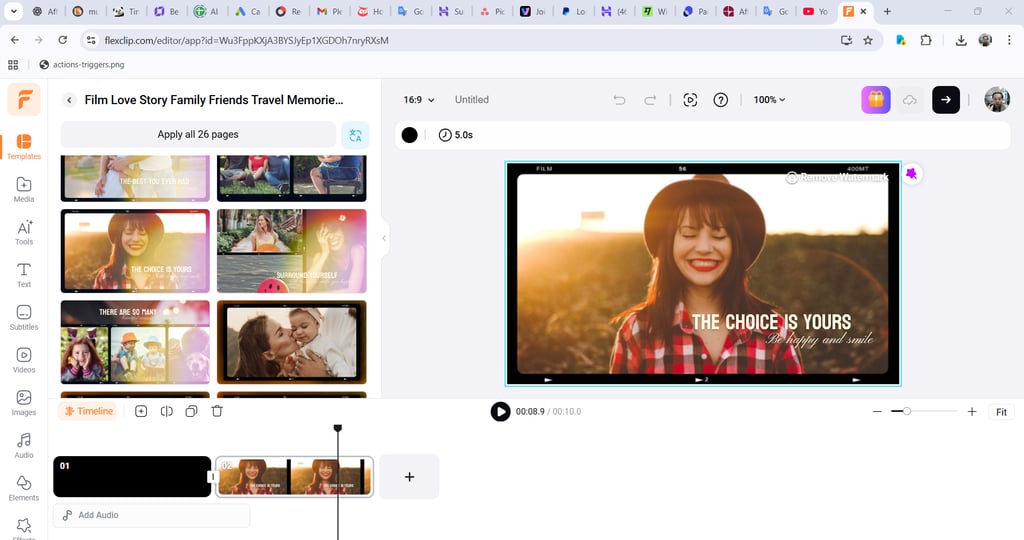
FlexClip is an easy-to-use online video editor that helps freelancers create professional videos, social media clips, presentations, and promotional materials without needing editing experience. Freelancers use FlexClip because it delivers fast results using templates, drag-and-drop tools, and a large library of stock assets. It’s especially useful for social media managers, marketers, and beginners who need to deliver short videos quickly for clients. Many freelancers choose FlexClip because it removes the technical complexity of video editing while still producing polished, client-ready results.
2. Key Features
Drag-and-Drop Editor – simple interface that allows quick video creation.
AI Text-to-Speech – generates natural voiceovers for marketing videos.
Templates Library – hundreds of ready-made formats for ads, reels, promos, and intros.
Auto Subtitles – generates captions instantly with high accuracy.
Stock Media Library – includes photos, clips, and music for faster production.
Screen Recorder – helpful for tutorials, walkthroughs, and client demos.
3. Best for freelancers who want a fast, simple video editor—social media managers, UGC creators, virtual assistants, marketing freelancers, and beginners offering short-form video services.
4. Pricing: Free plan available.
Paid plans start from US $11.99/month when billed annually.
5. Pros & Cons
Pros: FlexClip is extremely beginner-friendly and ideal for freelancers who need to produce attractive videos quickly without learning complex editing tools. The templates save time and help maintain quality across multiple projects.
Cons: Advanced editors may find the customization limited, and large or highly detailed projects may require more powerful software.
6. Verdict
FlexClip is a strong choice for freelancers who want fast, no-stress video creation. Its templates, TTS voices, and simple editing tools make it perfect for client video projects that need quick turnaround and solid production quality.
⚡ Tool #6: Fireflies AI — https://fireflies.ai
1. What This Tool Does and Why Freelancers Use It
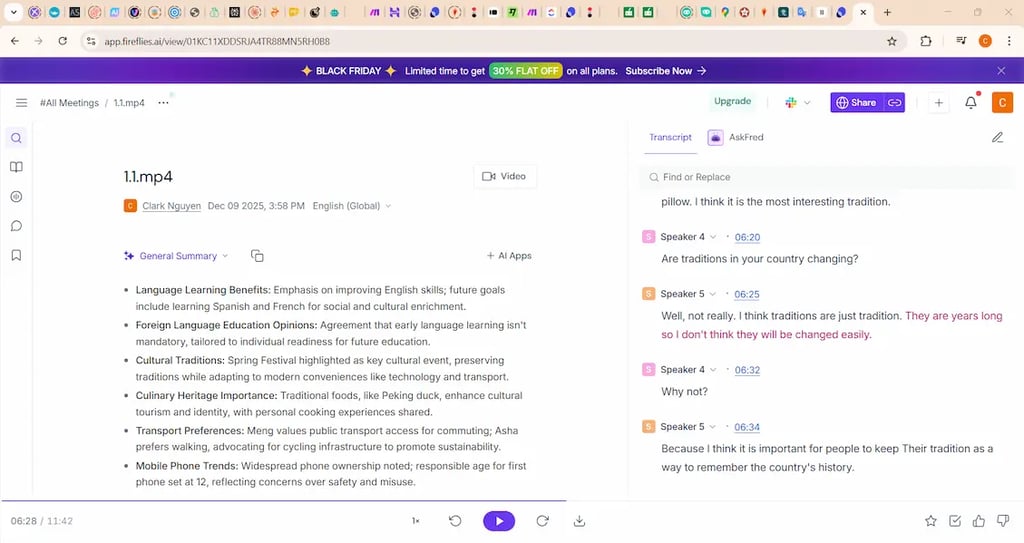
Fireflies AI is a meeting assistant that automatically records, transcribes, and summarizes online calls across Zoom, Google Meet, Teams, and other platforms. Freelancers use Fireflies because it eliminates the need for manual note-taking and helps them stay organized with clients, especially when juggling multiple projects. It captures action items, key decisions, and follow-up tasks, making client communication clearer and more professional. Many freelancers rely on Fireflies to keep accurate records of calls, reduce misunderstandings, and send cleaner updates to clients.
2. Key Features
Automatic Meeting Transcription – captures every detail with high accuracy.
AI Summaries – provides quick overviews with action items and key insights.
Searchable Conversation History – allows users to find important moments easily.
Integrations – works with Slack, Notion, CRM tools, and calendars.
Voice Commands – lets users mark highlights during meetings.
Collaboration Tools – enables sharing notes with clients seamlessly.
3. Best for freelancers who attend client meetings frequently—virtual assistants, social media managers, project managers, consultants, and anyone who needs accurate call documentation.
4. Pricing: Free plan available.
Paid plans start from $10/month when billed annually.
5. Pros & Cons
Pros: Fireflies AI saves time, improves accuracy, and helps freelancers appear more organized and professional. It ensures nothing is missed during client discussions and simplifies follow-up communication.
Cons: Occasional transcription errors can still occur, and long meetings may count heavily toward usage limits on lower-tier plans.
6. Verdict
Fireflies AI is an excellent tool for freelancers who want to streamline communication, avoid manual note-taking, and deliver clearer client updates. It enhances professionalism and supports better project management.
⚡ Tool #7: hix.ai — https://hix.ai
1. What This Tool Does and Why Freelancers Use It
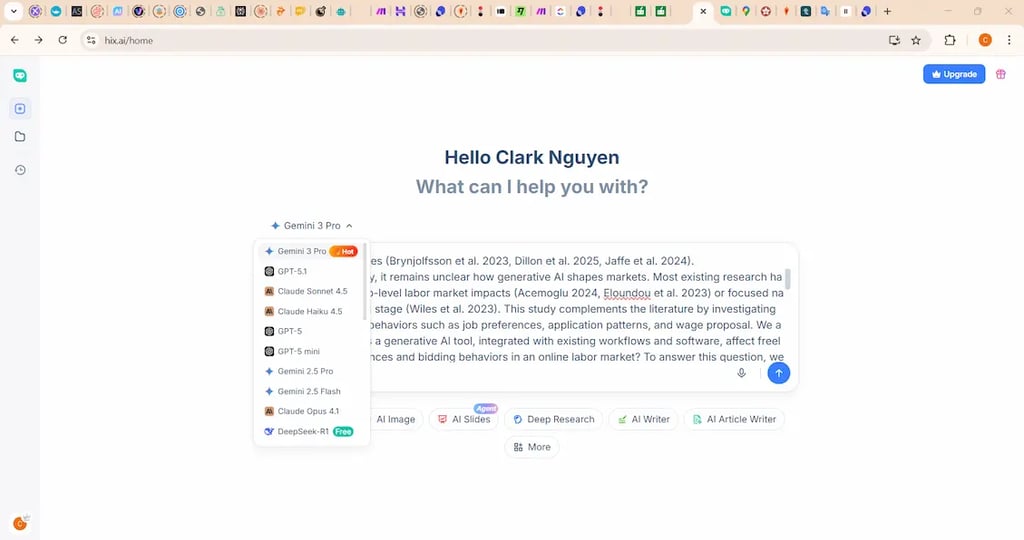
Hix.ai is an all-in-one AI writer and productivity suite designed to help freelancers create content faster and handle multiple writing-related tasks in one place. It includes a chatbot, long-form writer, email writer, social post generator, and rewriting tools. Freelancers use hix.ai because it offers a wide range of writing functions at a lower price compared to many competitors. It’s popular among content creators, bloggers, affiliate marketers, and social media freelancers who need fast, consistent content output for clients without sacrificing quality.
2. Key Features
All-in-One Writer Suite – combines chatbot, long-form writer, and content tools.
AI Email Writer – generates professional email replies and outreach messages.
Article & Blog Generator – creates SEO-friendly drafts quickly.
Rewriting & Paraphrasing Tools – improves clarity and tone instantly.
Social Media Tools – produces captions and posts for multiple platforms.
Chrome Extension – allows writing assistance across any website.
3. Best for freelancers who want a versatile, affordable writing assistant—content writers, bloggers, social media managers, affiliate content creators, and virtual assistants who handle everyday communication.
4. Pricing: Free plan available.
Paid plans start from $9.99/month.
5. Pros & Cons
Pros: Hix.ai offers a wide range of writing tools in one platform, making it cost-effective for freelancers who handle various content tasks. It’s fast, beginner-friendly, and helps maintain consistent output.
Cons: The quality of complex or highly specialized writing may vary, and some advanced features require higher-tier plans.
6. Verdict
Hix.ai is a strong choice for freelancers who want an affordable, multi-purpose AI writing tool. Its broad feature set makes it ideal for handling daily content tasks quickly and efficiently, especially for clients who need consistent content production.
🚀 Tool #8: Make.com — https://make.com
1. What This Tool Does and Why Freelancers Use It
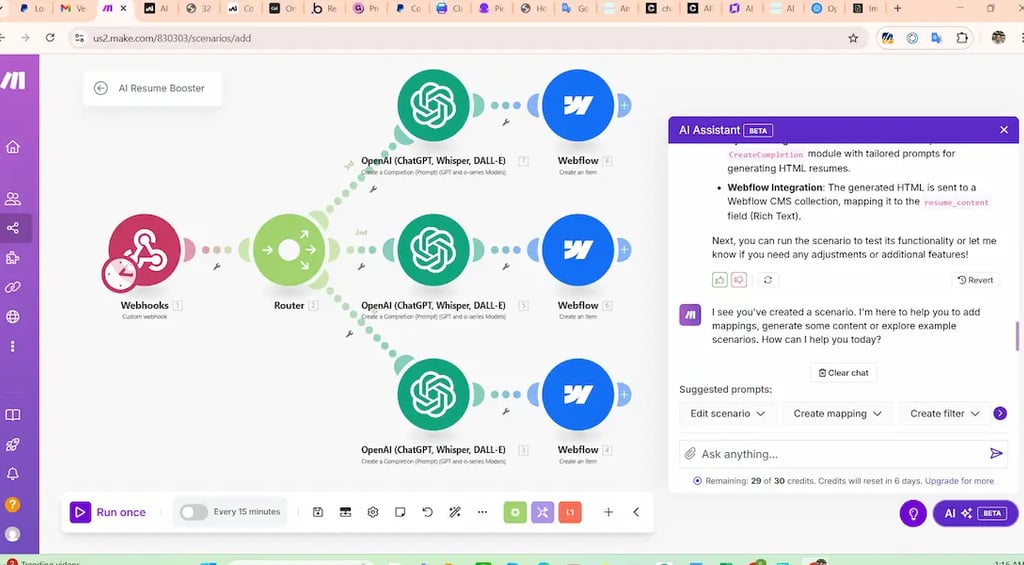
Make.com is a visual automation platform that lets freelancers build automated workflows without writing code. It connects apps, triggers actions, and reduces repetitive manual tasks across marketing, operations, content creation, and client management. Freelancers use Make.com because it allows them to offer automation services to clients—such as lead capture workflows, content distribution, email sequences, reporting systems, and backend automations. Many freelancers also automate their own workflow to save hours each week and appear more professional through faster, consistent delivery.
2. Key Features
Visual Drag-and-Drop Builder – creates complex automations without coding.
Thousands of App Integrations – connects tools like Google Sheets, Notion, Slack, CRMs, and more.
Custom Webhooks – allows freelancers to build advanced workflows for clients.
Scenario Scheduling – automates tasks on a set schedule.
Data Manipulation Tools – cleans, formats, and routes data automatically.
Templates Library – offers prebuilt workflows for common use cases.
3. Best for freelancers who want to offer automation services, streamline client work, or build scalable workflows—virtual assistants, no-code developers, consultants, marketers, and small agency owners.
4. Pricing: Free plan available.
Paid plans start from Core $9.00/month Billed yearly
5. Pros & Cons
Pros: Make.com is extremely flexible and allows freelancers to automate almost any digital task. It opens the door to new service offerings and higher-paying projects that clients value.
Cons: It has a learning curve for beginners, and complex workflows may require some technical understanding.
6. Final
Make.com is one of the best tools for freelancers who want to expand their services and increase income by offering automation solutions. Its versatility and power make it ideal for building systems that save time and impress clients.
🚀 Tool #9: Tagshop — https://tagshop.ai
1. What This Tool Does and Why Freelancers Use It
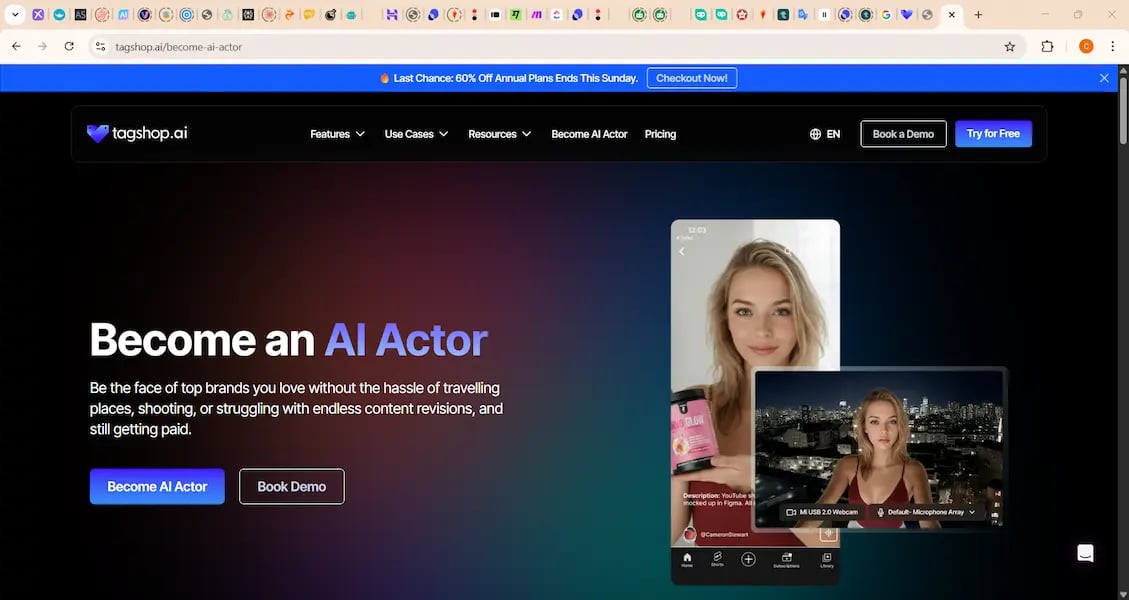
Tagshop is a social commerce and UGC platform that helps freelancers create high-converting product galleries, shoppable feeds, and social-style content for e-commerce clients. Freelancers use Tagshop because brands increasingly want user-generated content, influencer-style visuals, and shoppable social pages without hiring a full agency. Tagshop makes it easy to collect, curate, and repurpose UGC from Instagram, TikTok, and customers, allowing freelancers to deliver premium e-commerce content that drives conversions. It’s especially popular among UGC creators, social media managers, and freelancers working with online stores.
2. Key Features
UGC Importing – brings in user-generated content from Instagram, TikTok, and customers.
Shoppable Galleries – transforms UGC into clickable product showcases.
Product Tagging – links visuals directly to e-commerce items.
Drag-and-Drop Widgets – embeds galleries on Shopify, WooCommerce, and other sites.
AI Content Curation – selects the best-performing visuals automatically.
Analytics Dashboard – tracks clicks, views, and conversions for clients.
3. Best for freelancers who work with e-commerce brands, UGC creators, social media managers, Shopify specialists, and content freelancers wanting to offer high-value, conversion-focused visuals.
4. Pricing
No free plan.
Paid plans start from Starter $11/month.
5. Pros: Tagshop makes it easy for freelancers to deliver high-converting e-commerce visuals without advanced design skills. Its UGC features help brands boost social proof and sales.
Cons: Pricing may feel high for beginners, and it’s mainly useful for freelancers working specifically with online stores.
6. Overall
Tagshop is a strong choice for freelancers who want to offer visually appealing, sales-driven UGC and social commerce services. It helps e-commerce clients increase conversions, making it a valuable tool for freelancers in that niche.
🚀 Tool #10: Supastarter — https://supastarter.dev
1. What This Tool Does and Why Freelancers Use It
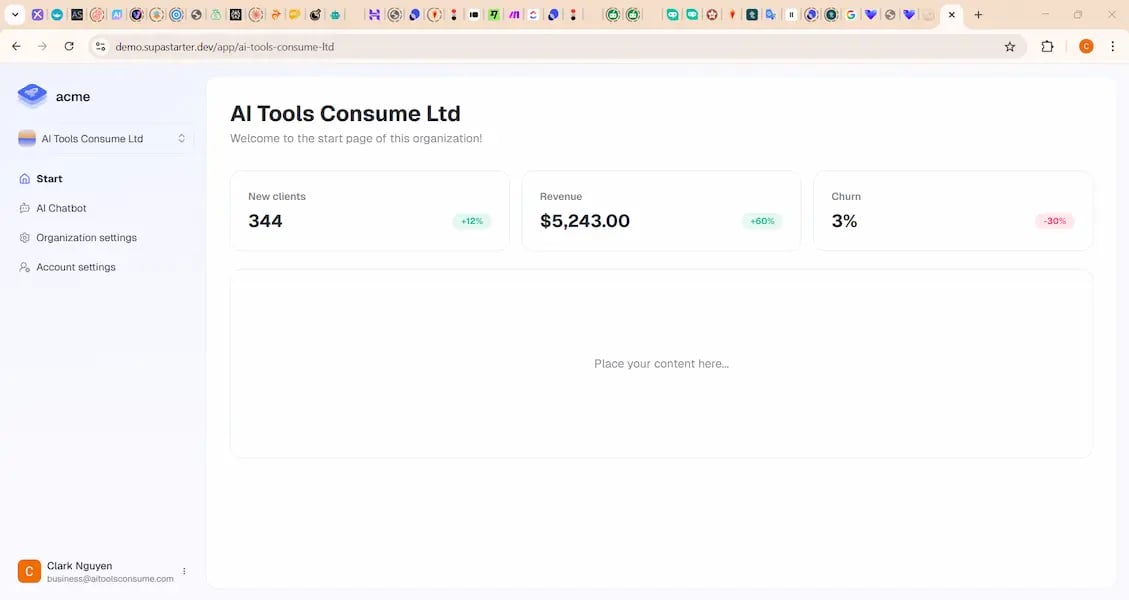
Supastarter provides ready-made website templates, startup kits, and prebuilt UI components that help freelancers build professional websites and SaaS-style pages quickly—even without coding. Freelancers use Supastarter because it dramatically reduces development time, allowing them to deliver client websites, landing pages, or MVP concepts in a fraction of the usual time. It’s especially valuable for beginners or no-code builders who want to offer website services without deep technical knowledge.
2. Key Features
Website & SaaS Templates – professionally designed layouts for many industries.
UI Component Library – sections, hero blocks, forms, pricing tables, and more.
No-Code Friendly – integrates well with builders like Webflow or Framer.
Figma Design Files – allows freelancers to customize branding and layout.
Fast Deployment – helps deliver client websites quickly without heavy development.
Regular Updates – new templates and components added frequently.
3. Best for freelancers who want to offer website creation, landing page design, or SaaS-style mockups—no-code developers, designers, marketing freelancers, and beginners wanting to expand into web services.
4. Pricing
No free plan.
Paid plans start from Monthly access (Legacy plan - $49/month), One-time purchase ($349)
Subscription options vary depending on the bundle.
5. Pros: Supastarter helps freelancers build high-quality websites quickly, making it easier to offer web services without mastering coding. Its templates look modern and are easy to customize.
Cons: Templates can be limiting for highly unique projects, and some features require design tools like Figma to fully customize.
6. Verdict
Supastarter is a strong tool for freelancers who want to deliver professional websites fast. Its templates and components save hours of design work and help freelancers offer higher-value web services with minimal technical effort.
🚀 Tool #11: ElevenLabs — https://elevenlabs.io
1. What This Tool Does and Why Freelancers Use It
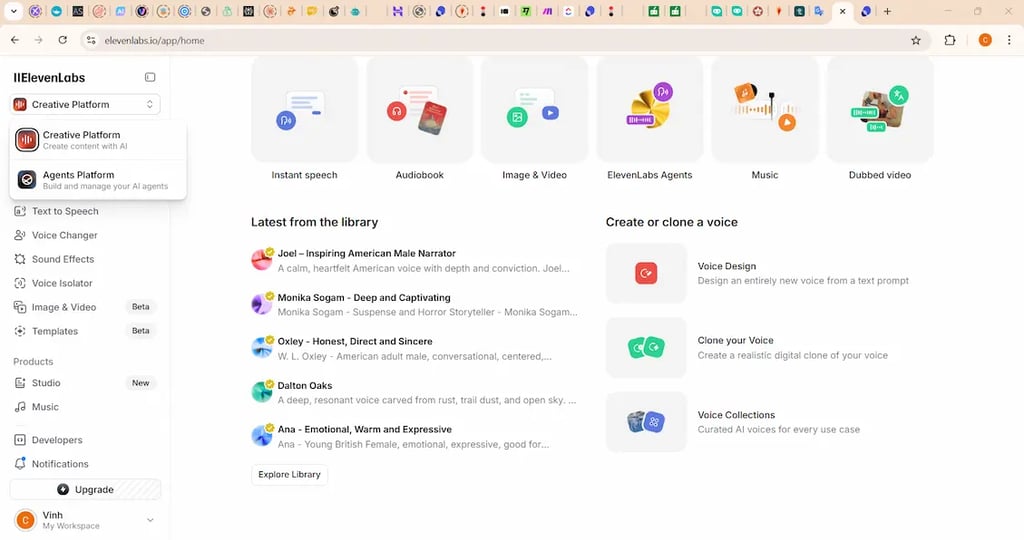
ElevenLabs is an advanced AI voice-generation platform that creates natural, human-like voiceovers in multiple languages and styles. Freelancers use ElevenLabs because it lets them produce high-quality audio content—such as ads, narrations, tutorials, explainer videos, and UGC voiceovers—without needing recording equipment or a professional voice actor. It’s especially popular among video creators, social media managers, e-learning freelancers, and content agencies who want fast, expressive audio that sounds real and emotionally engaging.
2. Key Features
Realistic AI Voices – highly natural speech in various tones and accents.
Voice Cloning – creates custom voices for brands or recurring projects.
Multilingual Support – generates voices in dozens of languages.
Instant Voiceovers – quickly produces narration for videos or tutorials.
Audio Cleanup Tools – enhances quality for smooth, professional sound.
API Access – enables custom integrations for automations and apps.
3. Best for freelancers who create videos, ads, tutorials, product demos, e-learning materials, or any content that requires professional-level voiceovers without recording equipment or voice talent.
4. Pricing
Free tier available with limited usage.
Paid plans start from $5/month.
5. Pros & Cons
Pros: ElevenLabs offers some of the most realistic AI voices available, making it ideal for clients who demand premium audio. It saves freelancers significant time and eliminates the need for recording studios or microphones.
Cons: Heavy usage can become expensive, and voice cloning features may require higher plans. Some clients may prefer human narrators for highly emotional or brand-sensitive projects.
6. Verdict
ElevenLabs is one of the best tools for freelancers who need fast, high-quality voiceovers. Its realism and multilingual support make it ideal for creators who want to offer audio production or improve their video deliverables.
📊 Tool #12: DocsBot — https://docsbot.ai
1. What This Tool Does and Why Freelancers Use It
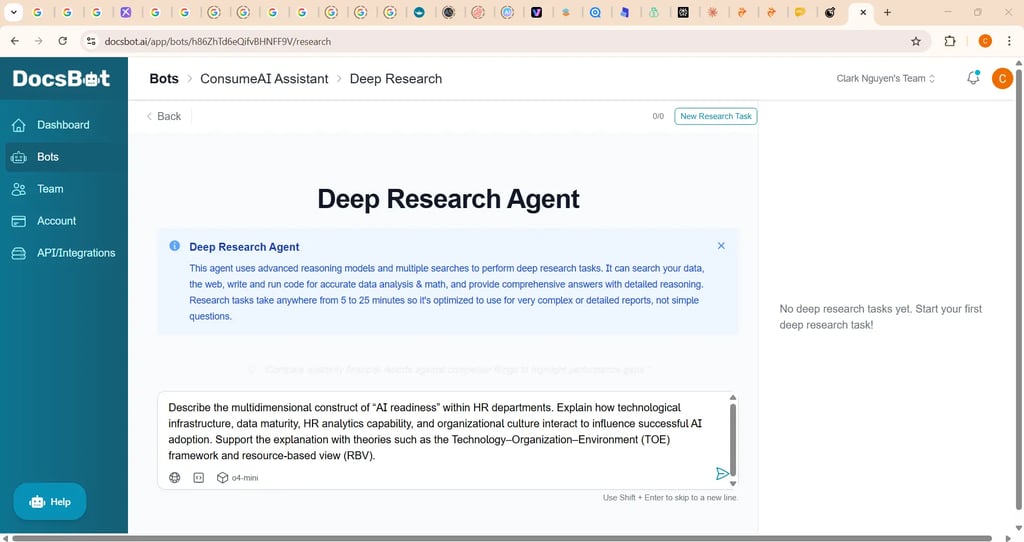
DocsBot is an AI-powered documentation and chatbot builder that allows freelancers to create custom knowledge bases, FAQ bots, and client support assistants trained on their own documents. Freelancers use DocsBot because it helps them deliver more professional onboarding materials, automate client support, and provide clients with self-serve information tools. Many agencies and solo freelancers use it to reduce repetitive questions, improve client communication, and present themselves as more organized and system-driven.
2. Key Features
Custom AI Chatbots – trained on PDFs, docs, websites, or notes.
Knowledge Base Builder – creates searchable client documentation.
Multi-Channel Embeds – chatbots can be added to websites, portals, or apps.
Analytics – tracks chatbot usage and client questions.
Easy Training Tools – upload documents and generate AI answers instantly.
API & Integrations – supports more advanced workflows.
3 . Best for freelancers who need professional documentation or client support systems—web designers, consultants, VAs, onboarding specialists, and small agencies offering structured client communication.
4. Pricing: Free plan available.
Paid plans start from $19/month.
5. Pros: DocsBot helps freelancers automate repetitive communication, deliver polished onboarding materials, and improve the client experience. It saves time and makes even a solo freelancer look like a well-organized agency.
Cons: AI answers depend heavily on the quality of uploaded content, and high-volume usage may require upgrading to more expensive plans.
6. Verdict
DocsBot is a valuable tool for freelancers who want to elevate professionalism and reduce repetitive messaging. It enhances client communication and allows freelancers to deliver structured, scalable onboarding and support experiences.
📊 Tool #13: Exemplary AI — https://exemplary.ai
1. What This Tool Does and Why Freelancers Use It
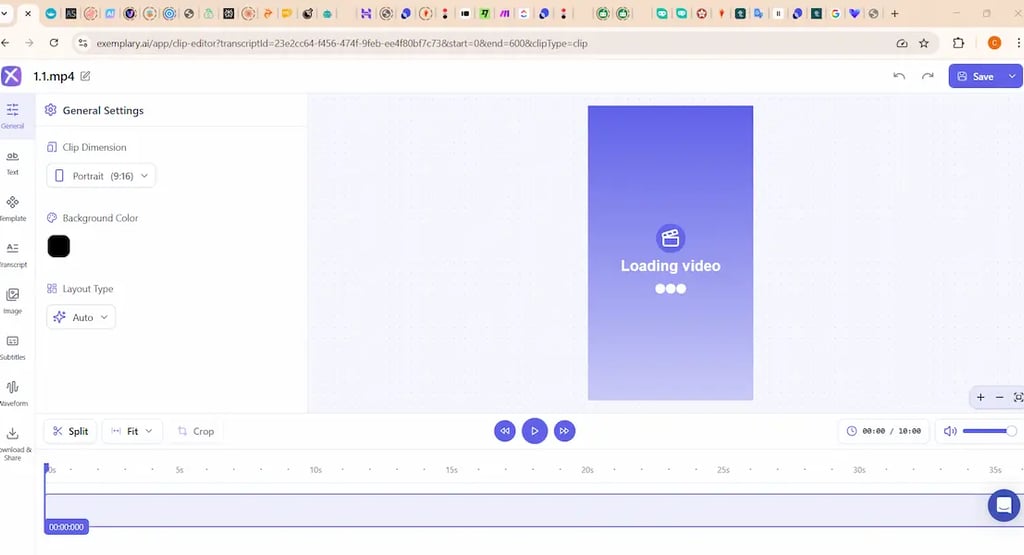
Exemplary AI is an AI-powered transcription, meeting summary, and content extraction tool designed to help freelancers turn audio and video into clean, structured notes and insights. Freelancers use Exemplary AI because it saves hours of manual transcription and makes it easy to extract key points, action items, and quotes from long recordings. It’s widely used by consultants, video editors, podcast freelancers, and virtual assistants who handle interviews, client calls, webinars, or content repurposing. Many freelancers choose Exemplary AI for its accuracy and fast turnaround, which helps them deliver polished summaries and stay organized across multiple projects.
2. Key Features
High-Accuracy Transcription – converts meetings, interviews, and podcasts into text.
AI Meeting Summaries – extracts key points, action items, and decisions.
Speaker Identification – separates voices for clear attribution.
Topic Detection – identifies themes across longer recordings.
Content Repurposing – turns audio/video into outlines and draft content.
File Support – works with audio uploads, video uploads, and links.
3. Best for freelancers who work with audio or video content—consultants, podcast editors, journalists, VAs, content creators, and anyone needing fast, accurate transcription and summaries.
4. Pricing
Free trial available.
Paid plans start from $9/ month when bill annually.
5. Pros & Cons
Pros: Exemplary AI produces accurate transcripts and well-structured summaries, helping freelancers save time and deliver more professional client documentation. It is easy to use and works well for long recordings.
Cons: Large file processing may require higher-tier plans, and the interface is simpler than larger, enterprise-level transcription tools.
6. Verdict
Exemplary AI is a strong choice for freelancers who consistently handle meetings, interviews, or long recordings. It turns complex audio into clear summaries, helping freelancers stay organized and deliver higher-quality content faster.
📊 Tool #14: Sitefy — https://sitefy.com
1. What This Tool Does and Why Freelancers Use It
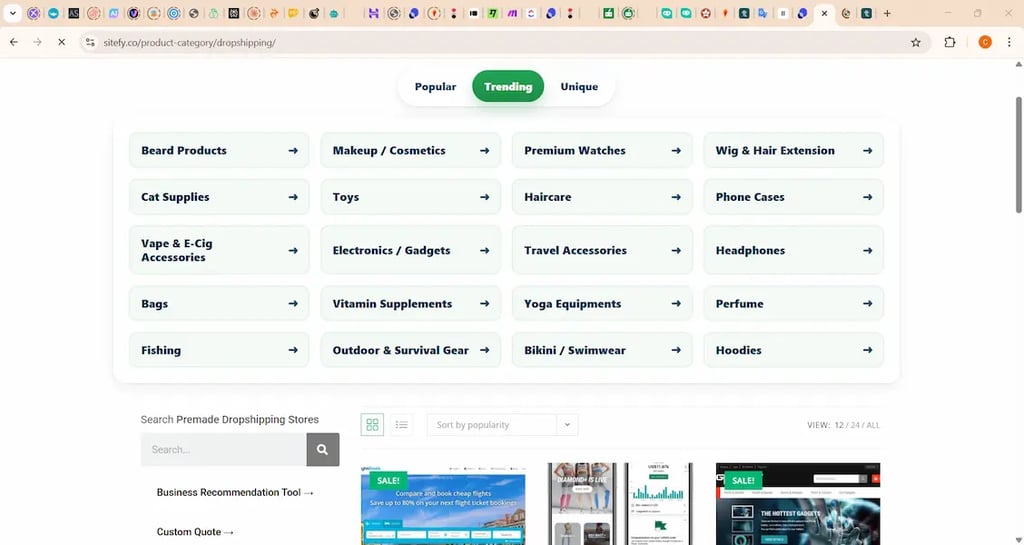
Sitefy is a lightweight website builder designed for freelancers who want to create simple, fast-loading websites, portfolios, or client landing pages without needing technical skills. Freelancers use Sitefy because it removes the complexity of traditional website builders while still offering professional layouts, hosting, and customization. It’s especially popular among virtual assistants, social media managers, and new freelancers who need a clean online presence or who want to build quick websites for clients at an affordable price. Many freelancers choose Sitefy because it’s easier to learn and delivers polished results with minimal setup time.
2. Key Features
Easy Website Builder – simple interface for making personal or client websites.
Custom Domains – allows users to create branded online portfolios.
Templates – professionally designed layouts for small businesses and freelancers.
Fast Hosting – ensures quick load times for better user experience.
SEO Settings – basic optimization tools for visibility.
No-Code Platform – designed for beginners who want fast results without technical work.
3. Best for freelancers who need a simple, clean website or who want to offer affordable website-building services—virtual assistants, beginners, social media managers, marketing freelancers, and those creating quick landing pages.
4. Pricing: No free plan.
Paid plans start for Small Business from $6 per month. They also sell pre-built websites, often at a starting price of $99.
5. Pros: Sitefy is extremely easy to use, affordable, and ideal for freelancers who want a fast online presence without learning complex tools. It’s a great entry-level option for creating personal websites or simple client projects.
Cons: It lacks the advanced customization and features of larger builders like Webflow or WordPress, making it less suitable for complex or highly custom projects.
6. Verdict
Sitefy is a practical choice for freelancers who want a straightforward website builder to create personal sites or simple client landing pages quickly. Its ease of use and low cost make it a great tool for beginners or service providers who need fast delivery.
📊Tool #15: ClickUp AI — https://clickup.com
1. What This Tool Does and Why Freelancers Use It
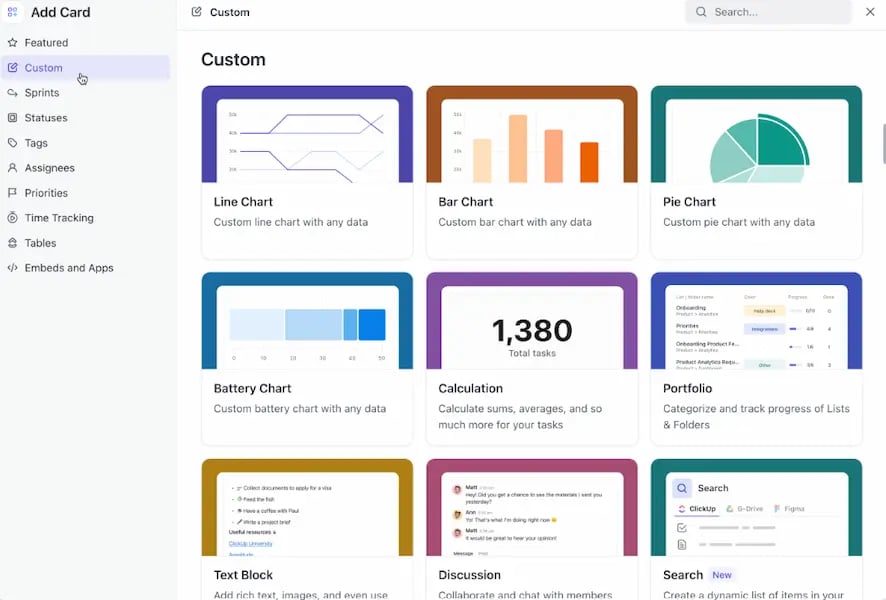
ClickUp AI is an advanced productivity assistant built into ClickUp’s project management platform. It helps freelancers generate task descriptions, summarize client messages, create project documentation, draft updates, and stay organized across multiple projects. Freelancers use ClickUp AI because it saves time on administrative work, improves communication with clients, and helps maintain a clear workflow. Many solo freelancers and small agencies rely on it to streamline their processes and appear more structured and professional in front of clients.
2. Key Features
AI Task Descriptions – creates clear, actionable task outlines.
Meeting & Chat Summaries – condenses long messages for quick understanding.
Document Generator – drafts SOPs, briefs, and reports.
Email & Update Drafting – helps freelancers send polished client messages.
Workflow Templates – supports consistent project delivery.
Integrated Project Management – combines tasks, docs, and communication in one place.
3. Best for freelancers who manage multiple clients or complex projects—virtual assistants, project managers, web designers, marketing freelancers, and small agencies needing strong organization.
4. Pricing
ClickUp offers a free plan.
AI features require an add-on starting from $7 per user, per month when billed annually.
5. Pros & Cons
Pros: ClickUp AI significantly reduces admin time by automating project documentation, summaries, and client communication. It helps freelancers maintain structure and present a highly professional workflow.
Cons: Some features require navigating ClickUp’s broader ecosystem, which can feel overwhelming at first. AI add-ons increase overall cost for freelancers on tight budgets.
6. Verdict
ClickUp AI is an excellent tool for freelancers who want to streamline project management and deliver clearer, faster communication. It enhances professionalism and helps keep every stage of a project organized, making it a powerful asset for those balancing multiple clients.
📊 Tool #16: Tability — https://tability.io
1. What This Tool Does and Why Freelancers Use It
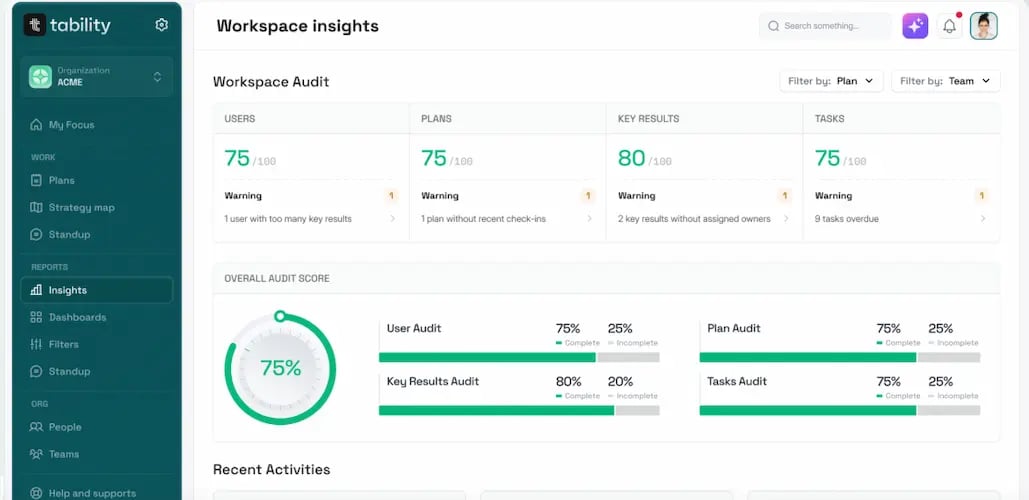
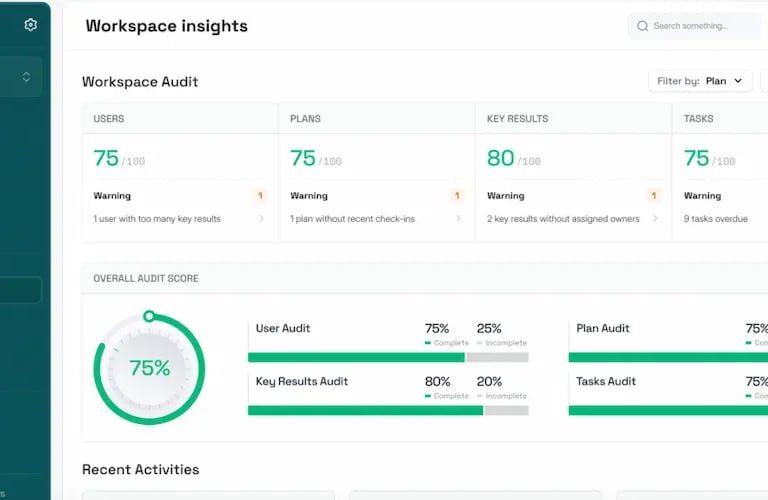
Tability is an AI-powered goals and outcomes tracking platform that helps freelancers create clear objectives, measure progress, and share updates with clients in a structured, professional way. Freelancers use Tability because it simplifies project reporting and makes their work more transparent and measurable. Instead of writing long weekly updates, Tability generates concise summaries that highlight progress, challenges, and next steps. Many consultants, marketers, and project-based freelancers use Tability to look more strategic and organized, which helps build trust and long-term client relationships.
2. Key Features
AI-Generated Progress Updates – turns notes into polished client-ready summaries.
Goals & OKRs – helps freelancers define measurable outcomes for projects.
Progress Tracking – visual dashboards for tasks, milestones, and metrics.
Client Sharing – allows freelancers to send clean, professional update pages.
Templates – ready-made structures for marketing, operations, strategy, and more.
Integrations – connects with tools like Slack to automate reminders and check-ins.
3. Best for freelancers who need professional progress updates—consultants, marketers, project managers, VAs, and anyone managing long-term client outcomes or monthly retainers.
4. Pricing
Free plan available.
Paid plans start from $5 per user, per month when billed annually.
5. Pros & Cons
Pros: Tability makes freelancers look more organized and strategic by turning progress notes into clear, structured reports that clients appreciate. It improves transparency and strengthens client trust over time.
Cons: It may feel unnecessary for short-term or one-off projects, and some freelancers may prefer simpler checklist-style tools.
6. Verdict
Tability is an excellent tool for freelancers who want to deliver professional progress reports and show measurable results. It adds structure to client communication and supports freelancers working on retainer or outcome-driven projects.
Final Thoughts: Choosing the Right AI Tools for Your Freelance Success
AI isn’t here to replace freelancers — it’s here to amplify what you can do. Whether you want to improve the quality of your work, reduce time spent on repetitive tasks, expand to new services, or communicate more professionally with clients, the tools in this guide give you a real competitive edge in 2025.
If you’ve already heard of some of these tools, feel free to try them directly through their official links. And if you’re still deciding, keep exploring the reviews above — each one explains exactly how the tool helps freelancers save time, earn more, or deliver higher-quality work.
We’ll continue updating and expanding this guide as AI evolves and new tools emerge. To stay ahead, check back for the next episode of this series, where I’ll compare tools by freelance industry demand and show which ones matter most for writers, designers, video creators, marketers, developers, and more.
If this guide helped you, feel free to explore more AI insights across AIToolsConsume.com — our full AI tools directory or AI tools partners, and start building your most productive freelance year yet.
Affiliate Disclosure:
This article contains affiliate links. If you choose to purchase through these links, we may earn a commission at no additional cost to you. This helps support our website and allows us to continue creating helpful content.
AiToolsConsume Ltd © 2024
contact us business@aitoolsconsume.com
"Aitoolsconsume empower individuals and businesses with accessible AI tools for a brighter, more innovative future"